
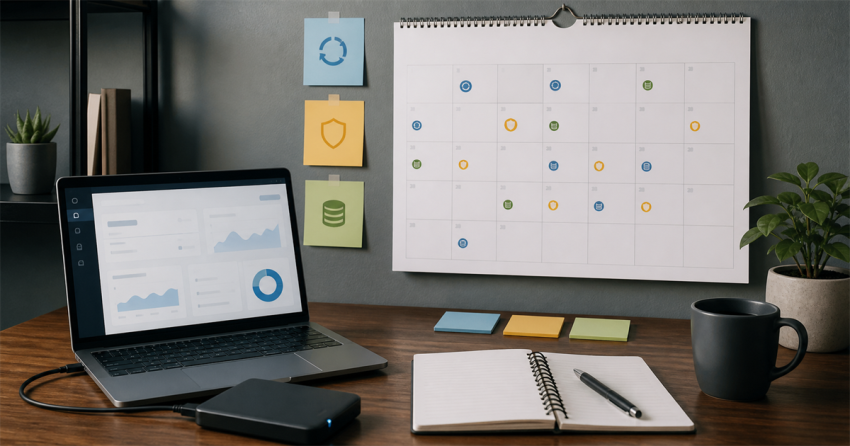
WordPress maintenance works better as a calendar than as a vague promise to “keep everything updated.” Some checks belong every month, some need a deeper quarterly review, and some are ownership decisions that only make sense once or twice a year. The exact interval should follow the site's risk. What matters is knowing what you're checking, why, and what evidence proves the site still works afterward.
I've seen maintenance reduced to a row of green update notices, but that isn't the same thing as a healthy business site. An update can succeed while a form stops notifying the right person, a checkout path breaks, or a recovery account still belongs to someone who left years ago. I don't count maintenance as finished until the site's important business action has been checked too.
WordPress's own site-maintenance documentation recommends scheduled backups, updates, link checks, content review, and plugin cleanup. That's the foundation. The calendar below turns it into an operating routine.
Monthly: confirm the site is healthy
The monthly pass should be short enough that it actually happens. Check:
- WordPress core, plugin, and theme update status;
- recent backups and whether at least one restore path is understood;
- security alerts and unusual login or traffic patterns;
- the main contact, checkout, booking, or lead form;
- the homepage and highest-value pages on desktop and mobile;
- broken links on the most important paths;
- storage, certificate, and domain-expiration warnings;
- recent errors or failed background jobs the site exposes.
The official WordPress update guide recommends backing up before updating because a restore gives you a way back if something goes wrong. The backup is not the finish line, though. After an update, test the public site and the business action that matters most. An update screen saying “complete” doesn't prove the quote form still sends or the checkout still loads.
Quarterly: review the system, not only the alerts
Every few months, step back from patches and inspect the installation as a system.
Review plugins and themes that are inactive, abandoned, duplicated, or no longer tied to a business requirement. Don't delete something just because it looks old; confirm what uses it, whether it stores data, and what the rollback path is. At the same time, check administrator accounts, integrations, application passwords, API keys, and third-party access that may have outlived the project that created them.
Look at performance in context. A slow page may be carrying oversized images, too many third-party scripts, inefficient queries, hostile automated traffic, or a cache problem. The maintenance action should follow the evidence. Security can affect performance too, which is one reason TechDex Live Immunizer treats unwanted automated access as real resource consumption rather than an abstract threat.
Quarterly is also a good time to read the site like a customer. Are the services current? Do staff names, hours, pricing language, and contact details still match the business? Do internal links still point to the right destination? A technically patched site can still be operationally wrong.
Annually: make ownership decisions
Once a year, review the pieces that tend to become invisible:
- who owns the domain, hosting, analytics, email, and payment accounts;
- who has recovery access and where recovery messages go;
- which vendor or employee is responsible for each system;
- whether backups have been restored in a controlled test;
- whether the hosting and PHP environment still meet supported requirements;
- whether privacy, terms, cookie, and accessibility practices need professional review;
- whether the site structure still matches the business;
- whether recurring licenses and services are still useful.
This is less about cleaning a database and more about preventing an ownership surprise. The worst time to discover that an old contractor controls the domain or that recovery email goes to a dead mailbox is during an outage.
Use change windows, not update piles
When several updates are waiting, don't treat them as one anonymous batch. Record what is changing, make sure a usable backup exists, apply a reasonable group, and verify the site before continuing. High-risk commerce, membership, or integration updates may deserve a staging test or a smaller window.
A maintenance record can be simple:
- Date and operator
- Site state before work
- Backup or rollback evidence
- Changes applied
- Pages and workflows tested
- Errors or warnings found
- Deferred work and reason
That record turns “I think we updated it” into something another person can review. It also keeps recurring defects visible instead of rediscovering them every few months.
Adjust the calendar to the site's risk
A brochure site that changes twice a year does not need the same cadence as a busy WooCommerce store. Increase the frequency when the site takes payments, receives many leads, publishes often, uses many integrations, or is experiencing active abuse. Reduce the scope carefully for low-change sites, but don't eliminate ownership, backups, security, and form testing.
The practical threshold is simple: if nobody can say when the site was last backed up, what changed, whether the important workflow was tested, and who owns the next problem, the site doesn't have a maintenance process yet. It has update activity. Build the calendar around evidence, and the work becomes easier to hand off, review, and trust.
TechDex Presents…
Flashback to the ’90s
Get 2026 services at 1990s prices.
For a limited time, I’m rolling prices back on six focused small-business services. Choose one service for $800, or choose two for $1,200. Nothing is purchased here—I’ll review your request and confirm the scope with you first.
Based on this article, these are the best places to start:
The campaign form lets you choose one or two services and request a follow-up. It isn’t a checkout, and you won’t be billed when you submit it.