
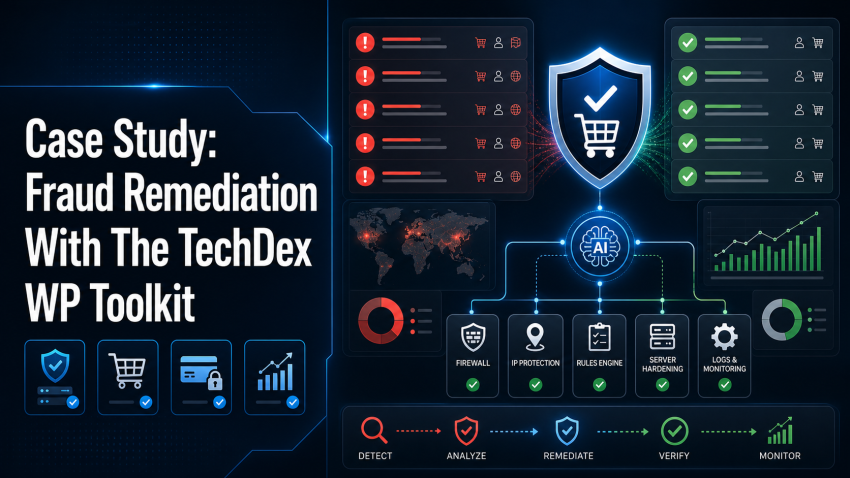
Case study: Earlier this week I had to deal with fraud attempts on a client’s site and thought it would make a great case study for the TechDex WP Toolkit. This client is running WordPress with both WooCommerce and Authorize.Net, and as how it usually begins, my inbox was getting flooded with failed order attempts, and notifications failing to non-existent email addresses.
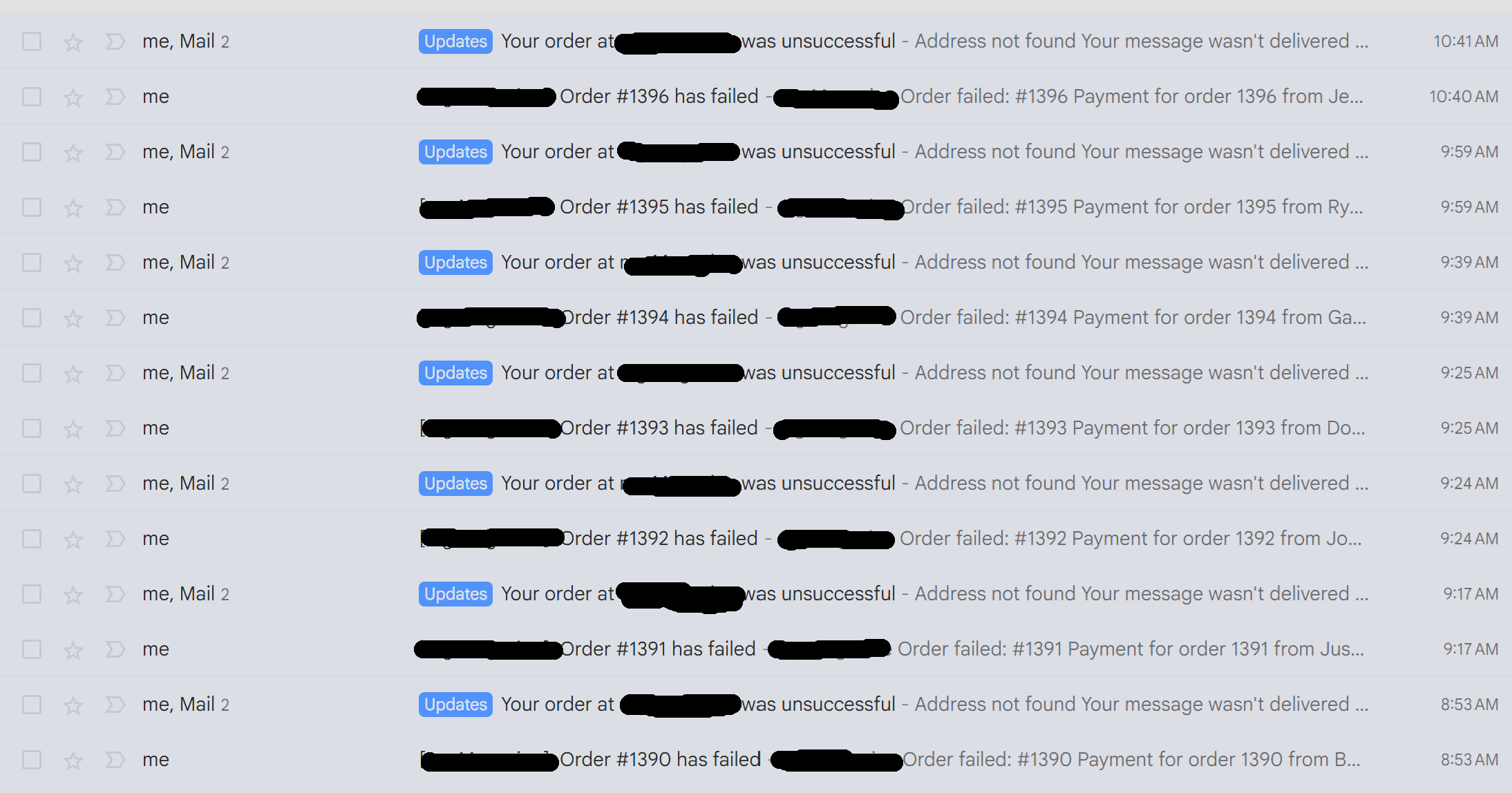
If it were one or two emails, I’d say someone was trying to make a purchase with a typo in their email address, but these just kept coming and my mind went to fraud because honestly, when it comes to security I’m paranoid like that.
And the run of failed orders, unsuccessful payment notices, bounced customer emails, repeated checkout behavior, and similar payment attempts in a short window, I think it was justified paranoia, and the analysis I did was really about confirming it.
I wanted to document the evidence, identifying the pattern, and deciding which controls could be tightened without creating unnecessary fallout for legitimate customers.
The order review confirmed the fraud pattern. The attempts were close together, the customer data looked fake, some emails bounced, and the session/cart behavior looked like one actor switching infrastructure while continuing the same run.
Normally someone would think it was testing, but WooCommerce wasn’t in test mode, so it couldn’t be that. Plus, beside myself, the only other people with authorization to even do a test weren’t doing it. The were fraudulent payment attempts that were actively being pushed through the store.
The first pass I did (analysis) was evidence collection. I reviewed the failed orders, source behavior, cart/session signals, customer data, email delivery failures, and active payment gateway path before making changes. My goal was to reduce the fraud exposure without blocking legitimate checkout activity or relying on broad controls that could create false positives.
For the work, I chose to use a tool I created a while ago for managing WordPress via my AI agent, the TechDex WP Toolkit. This seemed like a good opportunity for it to grow, so I used it to handle the WordPress-side inspection and remediation.
I used it to review WooCommerce evidence, confirm the active Authorize.Net CIM payment path, inspect Wordfence posture, apply supported blocks where the evidence was strong, review user access, and reduce unnecessary administrator exposure.
Now, WooCommerce fraud remediation does not live in one setting.
The WordPress side matters, but so do WordFence rules, (WordFence is the security plugin I use), server headers, payment gateway behavior, and merchant-side fraud controls – the TechDex WP Toolkit handled the WordPress work cleanly, kept the actions bounded, and preserved a record of what changed.
Manually, on the merchant side, I reviewed Authorize.Net fraud controls, including velocity rules, AVS behavior, CVV behavior, and filters that could affect fraudulent checkout attempts. Controls tied directly to the observed behavior were tightened. Broader filters with higher false-positive risk, such as shipping and billing mismatch handling, were left out of the immediate remediation because they could affect legitimate business purchases.
Yes, I skipped a lot of details there because it was a client, so I’m limiting the public information.
That said, the remediation standard was straightforward: tighten the specific risk, avoid weak-signal overreaction, preserve legitimate checkout, and verify the site after meaningful changes.
Here are the case study results:
Case Study Results
Sanitized Case Study Results

Problem:
- Active WooCommerce card-testing and fraudulent checkout attempts.
- Repeated failed payment/order notices.
- Some attempts progressed far enough to require immediate remediation.

Evidence:
- Repeated failed orders in short bursts.
- Low-dollar product attempts consistent with card testing.
- Repeated source infrastructure and reused session/cart behavior.
- Fake customer data and bounced customer emails.

TechDex WP Toolkit use:
- Inspected WooCommerce and WordPress-side evidence.
- Reviewed active payment gateway posture without exposing secrets.
- Confirmed the live Authorize.Net gateway path.
- Reviewed Wordfence posture and confirmed fraud-source blocks.
- Reviewed administrator access before changes.
- Reduced unnecessary administrator accounts to subscriber.
- Recorded before/after snapshots for access changes.

Merchant-side controls:
- Reviewed Authorize.Net fraud settings.
- Tightened transaction velocity handling.
- Hardened AVS/CVV response handling.
- Left high-false-positive filters disabled where legitimate purchases could be affected.

Server/site controls:
- Added missing security headers.
- Kept CSP in report-only mode first to avoid breaking checkout.
- Verified public site and checkout availability after changes.

Deferred:
- Broad IP/range blocking without repeated evidence.
- WooCommerce/plugin update work outside the immediate security scope.
- Filters likely to create false positives for legitimate business purchases.

Outcome:
- Fraud resistance improved.
- Administrator exposure reduced.
- Payment controls tightened.
- Checkout remained available.
- Follow-up monitoring continued instead of pretending the issue was permanently finished.
As I said, pretty straightforward, though the summary failed to mention where I blocked the IP range on the server side as well. That was actually how I realized it was a person doing this and not a bot. The IP pattern looked more like a human operator and not a bot.
Normally a fraud remediation like this would take a few days – pouring through records, identifying offending IPs, sorting through logs from multiple sources, gathering and reading proper documentation from sources, and more. It’s very time consuming.
What This Showed About AI-Assisted WordPress Work
This remediation from audit to solution only took a couple or three hours because of the TechDex WP Toolkit and the benefit of AI-assisted work.
What my software did was give a supported operational layer for WordPress work: inspect the evidence, act within defined authority, verify the outcome, and leave a record behind.
More importantly, it does it from an agent instead of having the click through tabs to navigate the WP back end, which, by itself, is a big time saver.
AND it’s built for safe operation on a live site with guardrails -and hat is what my software powerful. It allows me to manage my entire WordPress installation, and those of my clients from an agent.
It is pure operational leverage.
Get The TechDex WP Toolkit (Special Offer)
If you manage WordPress sites and want AI to do more than give you advice, the TechDex WP Toolkit gives your agent a safer path to inspect and work inside WordPress.
It’s built for practical site work: design, content, multiple plugin support, media, user hygiene, plugin-aware inspection, and controlled WordPress operations where the difference between “I found a problem” and “I helped fix it” actually matters.
Right now it’s on sale.
So, follow the link, take a look at the demo video, and download it today.
Get the TechDex WP Toolkit special offer here.
TechDex Presents…
Flashback to the ’90s
Get 2026 services at 1990s prices.
For a limited time, I’m rolling prices back on six focused small-business services. Choose one service for $800, or choose two for $1,200. Nothing is purchased here—I’ll review your request and confirm the scope with you first.
Based on this article, these are the best places to start:
The campaign form lets you choose one or two services and request a follow-up. It isn’t a checkout, and you won’t be billed when you submit it.
2 thoughts on “Case Study: Fraud Remediation With The TechDex WP Toolkit”